Flat File DB Explained: Benefits, Limits, & Use Cases
Discover Flat File DB basics: how it works, benefits, limitations, & use cases. Explore comparisons with relational databases in this guide.
https://www.youtube.com/watch?v=r7JmnJB_L60
published
Outrank AI
flat file db, database fundamentals, data storage, data management, file-based database
37ab4e41-9798-4b16-9710-6095ed376003
Your startup's analytics team has a familiar problem. A dashboard depends on a complicated ETL pipeline, the pipeline keeps breaking, and a simple product question now requires several people to coordinate. Someone suggests exporting the data to CSV or JSON and analyzing the files directly. That sounds too basic, but a flat file db can remove unnecessary infrastructure when the dataset is small, the workflow is simple, and speed of setup matters more than complex querying.
The important question isn't whether flat files are “good” or “bad.” It's whether the file matches the workload and whether your team has clear rules for using it. Flat files can support event logging, prototypes, configuration data, data exchange, and lightweight analytics. They can also create duplicate records, slow retrieval, conflicting edits, and governance problems when teams keep extending the same file.
Table of Contents
Introduction to Flat File DB
A flat file database stores records in one file or table rather than distributing them across related tables. That makes it a practical escape hatch when a team needs to capture data quickly without provisioning a database server, designing a complex schema, or building a large ingestion pipeline. A product team might write one JSON object per event, a finance team might export transactions to CSV, or an engineer might keep application settings in a structured text file.
The appeal becomes clearer when compared with spreadsheets. A spreadsheet may be convenient for manual work, but it can become difficult to automate, validate, and query consistently. This guide to databases, Excel, and SQL helps clarify where a file-based workflow fits and where a database becomes more appropriate.
A flat file db isn't a miniature relational database. It usually has no native relationships, indexing, query optimizer, transaction control, or multi-user governance. That doesn't make it useless. It means you should treat it as a deliberately limited storage pattern, then define the conditions that require migration.
The sections ahead explain the structure, reading process, strengths, failure modes, practical use cases, comparisons with relational systems and warehouses, and governance triggers that tell you when a simple file has reached its useful boundary.
Understanding the Key Concepts
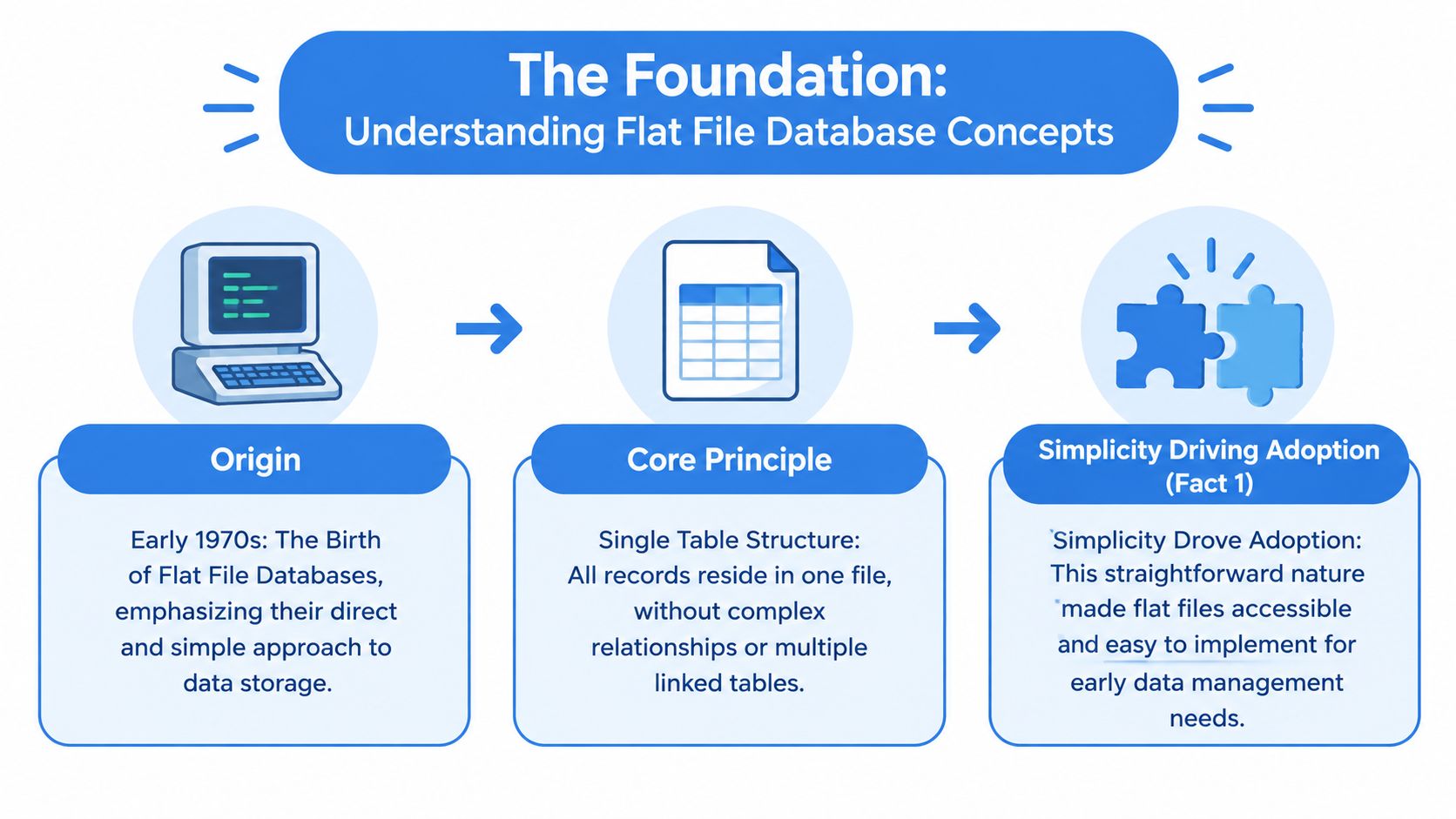
Flat file databases were first developed and implemented in the early 1970s by IBM, and their central pattern remains straightforward: keep all records in a single plain-text file or table with no built-in relationships between records. That simplicity helped early business-computing teams adopt data storage without the machinery associated with more advanced database systems. The historical background is documented in this overview of flat file databases.
Think of a flat file as a paper ledger. Each line contains one entry, and each position within that line has a meaning. A comma-separated file might use the first row for field names, then place a customer ID, plan, status, and signup date on each following row. The file can be opened by a person or read by a script, but it doesn't, on its own, know that a customer ID should match a customer record in another file.
Core idea: A flat file describes records. It doesn't automatically understand the relationships among those records.
The word “flat” refers to the absence of internal relational structure. In a relational database, customer information might live in one table while orders live in another, with keys connecting them. In a flat file, the same customer details may be repeated on every order row, or the application may need to combine separate files manually.
That distinction is closely related to the idea of a schema. A schema defines what fields mean, what types they should contain, and how data is organized. Teams that need a quick introduction can use this explanation of what a database schema is, but the practical point is simple: a flat file may have an expected format, yet the file itself often doesn't enforce that format.
A team can therefore use a flat file responsibly, but it must supply the missing rules through documentation, validation scripts, naming conventions, and controlled ownership. The storage is simple. The governance around it determines whether that simplicity remains useful.
How Flat File DB Works
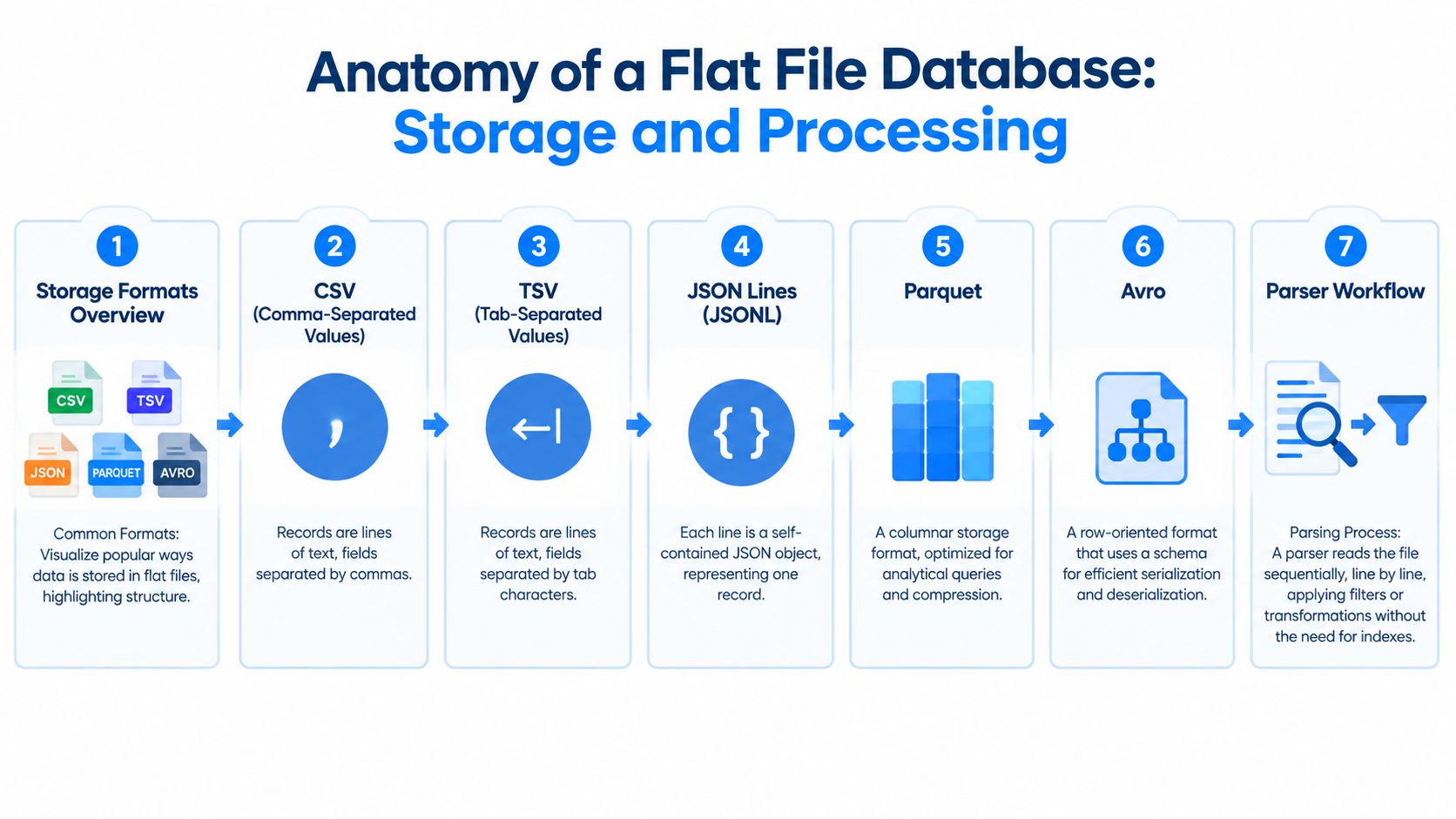
A flat file workflow starts with records, encoding, and a parser. The format determines how a program identifies fields and interprets each record.
CSV: Each record is usually a line, with fields separated by commas.
TSV: Each record is a line, with fields separated by tab characters.
JSON Lines: Each line is a complete JSON object, so records can carry named fields and nested values.
Parquet: Data is stored in a columnar binary structure designed for analytical processing and compression.
Avro: Data is serialized in a row-oriented format with a schema that helps programs encode and decode records.
A small CSV file might look like this:
The header gives meaning to each position. A parser reads a line, splits its fields according to the delimiter, and maps the values to the expected columns. Quoted commas, missing values, date formats, and inconsistent field types still require careful handling.
JSON Lines uses a different visual structure:
Each line can be processed independently, which makes JSONL useful for append-heavy logs. Parquet and Avro aren't plain text, but they still represent file-based records rather than providing the full behavior of a relational database.
Sequential reading and filtering
A basic reader starts at the beginning and examines records until it reaches the end. Because a flat file db typically has no built-in indexing or query optimizer, locating or filtering data generally requires scanning the file line by line, as explained in this technical discussion of flat file retrieval.
That scan has a direct operational consequence. A request for all events from a particular plan may require the parser to inspect every record, even when only a small portion matches. File offsets, partitioned folders, compression, and column-oriented formats can reduce unnecessary work in modern tooling, but those techniques are external improvements, not relational features built into the flat file itself.
For teams exploring file-backed analytics, DuckDB and file uploads provide a useful example of how a query engine can sit above files. The engine adds analytical capabilities while the underlying data remains portable.
Benefits and Limitations
Flat files earn their place through low friction. A developer can create one with a text editor, an export command, or a small script. A teammate can inspect the contents without specialized database software, and another system can often import the same file with little adaptation.
Those advantages are strongest when the data is small, the records follow a stable pattern, and updates are mostly append operations. A log file, configuration snapshot, export package, or prototype dataset may not need joins, transactions, or a permission model.
Flat file strength | Where it helps | Where it stops helping |
|---|---|---|
Fast setup | Prototypes, scripts, and temporary workflows | Systems that need durable operational controls |
Human readability | Inspection, debugging, and handoff | Sensitive data that shouldn't be broadly editable |
Portability | Moving data between tools and environments | Workflows that require central governance |
Low overhead | Small datasets and simple filters | Large files and complex analytical queries |
The same design creates the major limitations. Repeated values can drift apart, relationships must be managed externally, and the file may not enforce data types or required fields. Multiple users or processes editing the same file can also create conflicts unless an external locking and versioning process exists.
The cost of changing the format
Flat file designs impose a structural penalty when the record format changes. Adding a field or changing a format can require rewriting large portions of the file, according to this educational explanation of flat file limitations.
That matters even when the file starts small. A team may add a new column, update an import script, and discover that older files follow a different order or use a different representation for missing values. The technical work isn't only editing the file. It's preserving the meaning of every historical record and ensuring that downstream readers don't unknowingly misinterpret it.
Practical rule: Use a flat file when simplicity is the requirement, not when simplicity is merely the fastest way to postpone a design decision.
Typical Use Cases and Real-World Examples
A product analytics team might begin with JSON Lines for event logging. Each application event becomes one self-contained record, and the service appends new lines instead of updating old ones. That approach suits an early product when the team mainly needs to capture signups, feature interactions, or error events for occasional inspection. The governance rule should be explicit from the start: define event names, required fields, ownership, and how a new event version differs from an old one.
A finance startup might use CSV exports while testing a reporting workflow. The team could receive transaction files from a payment provider, validate the headers with a script, and load the results into a notebook for reconciliation. CSV keeps the exchange visible to non-technical staff, but the team should avoid treating an emailed export as the authoritative ledger. A controlled landing folder, immutable source copies, and a documented correction process prevent manual edits from becoming invisible data changes.
An IoT project may write sensor readings to Parquet because its analytical readers benefit from a columnar layout. The project can organize files by device or collection period, retain raw files, and build a separate curated layer for cleaned readings. As the number of devices, readers, and transformations grows, the migration question becomes operational rather than ideological. Does the team need centralized access control, dependable incremental processing, concurrent writes, or reliable joins across devices, locations, and maintenance records?
Flat files work well because they're inexpensive, readable, and easy for people and programs to exchange, but they become less suitable as data volume or user count grows, a trade-off described in this comparison of flat-file and relational databases.
The same principle applies to file discovery. A large file collection may be valuable for archival or research purposes, and readers interested in how massive collections are cataloged can browse over 100 million files in a separate resource. Finding files, however, isn't the same as governing their contents. Teams still need ownership, metadata, retention rules, and a reliable definition of which version is trusted.
Comparing with Relational DBs and Data Warehouses
A flat file db is a storage format and workflow pattern. A relational database is a managed system for organizing related data, enforcing constraints, serving queries, and coordinating concurrent activity. A data warehouse is optimized for analytical workloads, where teams combine large collections of data, calculate aggregates, and support reporting across business domains.
The difference is easiest to understand through responsibilities. A file may hold rows. A relational database can enforce keys, relationships, permissions, transactions, and indexes. A warehouse adds analytical structures, data lineage, access controls, and tools designed for repeated aggregation.
Capability | Flat file db | Relational database | Data warehouse |
|---|---|---|---|
Schema enforcement | Minimal to none, often dependent on application logic | Strict structure and integrity controls | Defined analytical schemas |
Query performance | Simple filters are practical, but large or complex queries require scans | Indexes and optimizers support transactional queries | Designed for analytical aggregation |
Indexing | Usually absent unless an external engine adds access structures | Supports indexes and joins | Uses analytical storage and query techniques |
Concurrent access | Requires external coordination to avoid conflicting writes | Supports controlled multi-user transactions | Supports concurrent reads, with different write patterns |
Governance | Manual naming, permissions, validation, and auditing | Built-in roles, permissions, backups, and auditing options | Strong analytical governance and lineage capabilities |
Governance is the migration trigger
The question isn't just, “How large is the file?” A small file can still be the wrong system if it contains sensitive information, supports decisions that require auditability, or is edited by several people. The operational risks around security, multi-user editing, and data quality are central concerns in this discussion of flat file databases.
Look for signals such as:
Repeated reconciliation: Analysts regularly compare files because different copies disagree.
Frequent rewrites: Teams update existing records often instead of appending new ones.
Cross-entity questions: Business users need joins across customers, orders, products, accounts, or events.
Shared ownership: Several teams publish files without a common schema or release process.
Sensitive access: File permissions no longer provide a clear, auditable boundary.
Pipeline fragility: A changed header or delimiter breaks downstream consumers.
A relational database usually fits operational applications that need consistent updates and relationships. A warehouse fits governed analytics across multiple sources. A file can remain the landing format, while a managed system becomes the trusted serving layer.
For a broader explanation of these architectural choices, see this guide to databases, data warehouses, and data lakes.
Recommendations and Best Practices
Adopt a flat file db deliberately. Before creating the first file, write down what the file represents, who owns it, which fields are required, and whether the file is a source of truth or only an exchange artifact. That short decision record prevents a temporary export from unintentionally becoming a production database.
Establish file-level governance
Use predictable names that identify the dataset, period, and version. Store a schema description beside the data, including field meanings, accepted formats, nullable fields, and examples of valid values. If the format changes, publish a new version or migration rule instead of changing the interpretation of existing rows without notice.
A practical baseline includes:
Ownership: Assign one team to approve schema changes and resolve quality issues.
Validation: Check headers, field counts, required values, dates, identifiers, and duplicate keys before ingestion.
Versioning: Preserve source files and record which transformation produced each derived file.
Access: Limit write permissions, separate raw data from curated data, and apply encryption and platform access controls where sensitive information is involved.
Retention: Decide how long raw and processed files remain available, and document deletion responsibilities.
Improve performance without hiding the limits
Partition files by a meaningful access boundary, such as event date, source system, or business unit, when readers usually filter by that boundary. Prefer formats suited to the workload. CSV helps with interoperability, JSON Lines helps with record-oriented logs, and Parquet can support analytical readers that benefit from columnar storage.
Compression can reduce storage and transfer overhead, but it doesn't create relational integrity or safe concurrent writes. Likewise, a query engine can make files easier to analyze, but it doesn't remove the need for ownership and schema control.
Define migration criteria before trouble arrives
Track file size, scan duration, validation failures, duplicate rates, failed loads, and the number of consumers. You don't need a dramatic outage to justify migration. Repeated manual cleanup, growing access requests, frequent schema exceptions, or business-critical reports depending on unversioned files are enough to evaluate a relational database or warehouse.
Migration checkpoint: Move the trusted serving layer when the team spends more effort coordinating files than using the information inside them.
Keep flat files as raw landing data when they provide useful portability. Load validated records into a managed system when users need reliable joins, controlled updates, repeatable permissions, and consistent analytical definitions.
Conclusion and Next Steps
The startup team from the opening scenario may not need another elaborate pipeline immediately. A carefully governed flat file db can unblock logging, prototyping, and small-scale analysis, especially when records are appended, formats are documented, and one team controls the workflow.
The risk appears when the file becomes an unofficial production system. Sequential scans slow retrieval, repeated values create inconsistency, format changes require broad rewrites, and shared editing exposes gaps in access control and auditability. Those are migration signals, even when the raw file still feels manageable.
Start by inventorying your files. Mark each one as a source, export, temporary artifact, or trusted dataset. Then apply the governance checklist: owner, schema, validation, versioning, access policy, retention, monitoring, and a defined migration threshold.
Querio's file-system approach is relevant for teams that want SQL, Markdown, Python, metric definitions, and related analytical context to remain inspectable and organized while data work moves toward self-serve analytics. The goal isn't to eliminate files. It's to give each file a clear role in a system that can evolve.
Querio provides a file-backed workspace for analytical context and supports self-serve exploration across company data, helping teams organize trusted queries, definitions, and analysis without relying on unmanaged exports. Visit Querio to evaluate whether its workflow fits your transition from flat files to governed analytics.