SQL Query Select All: A Practical Guide for 2026
Master the sql query select all with real examples, dialect differences, performance pitfalls, and production-ready best practices for safer queries.
https://www.youtube.com/watch?v=YWBAwnIeFwg
published
Outrank AI
sql query select all, select star sql, sql wildcard columns, sql best practices, sql performance
40c6ed9e-0b60-4051-a0f2-601a33acb21d

The standard advice is simple: never use SELECT *. That advice is useful, but too blunt to guide real database work. A data engineer inspecting an unfamiliar table, an analyst trying to remove duplicate rows, a developer joining wide tables, and a reporting job crossing a service boundary may all say they need to “select all,” while facing completely different risks.
The practical rule is narrower. Use a wildcard when you're exploring and the shape is disposable. Use explicit columns when the result becomes a contract. The distinction matters because SELECT * affects more than readability. It can change result shape after a migration, expose metadata or sensitive fields, prevent index-only access, and behave differently across database products and table designs. SQL Server's temporal-table documentation, for example, explains that wildcard selection includes period columns unless those columns are marked HIDDEN, so the result depends on schema design rather than one universal rule (Microsoft's temporal-table query documentation).
Table of Contents
What People Actually Mean by Select All
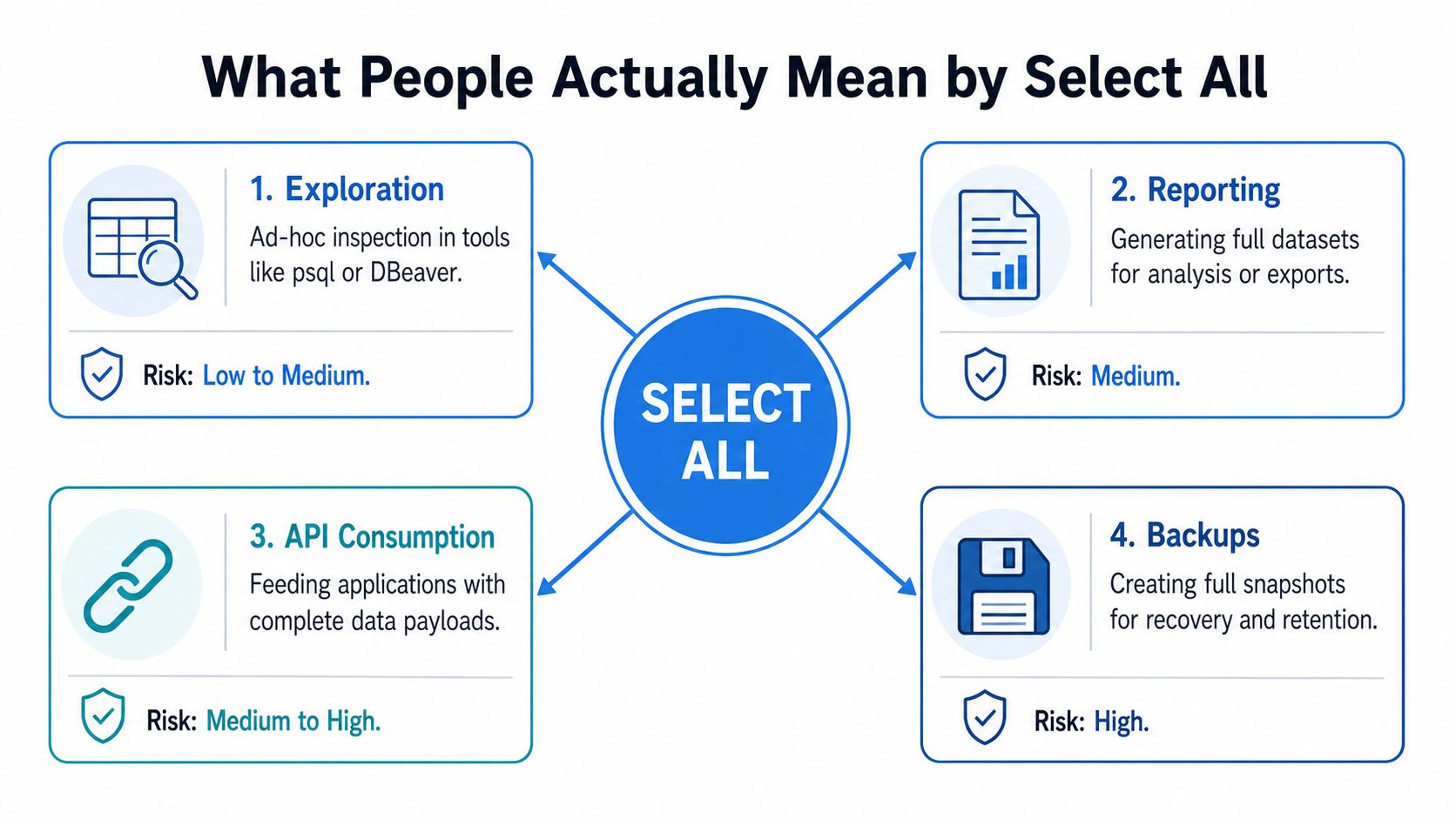
“Select all” describes at least four different operations. Treating them as one problem leads teams to apply the wrong fix.
Exploration means inspecting an unfamiliar table in psql, DBeaver, a notebook, or a database console. You don't yet know which columns exist, which values are populated, or whether the schema includes audit fields. In that setting, SELECT * is often the fastest way to understand the data. The query is temporary, the consumer is human, and the result usually isn't a stable interface.
Row preservation is a different concern. SELECT ALL doesn't mean “return all columns.” In standard SQL, ALL is the default behavior that keeps duplicate result rows when DISTINCT isn't present, as described in the PostgreSQL SELECT reference. The asterisk controls the selected columns. ALL controls whether duplicate rows remain.
Joining creates another interpretation. A query such as SELECT * FROM users JOIN orders ... requests every selected column from both inputs. That may be reasonable for quick inspection, but it creates a wide intermediate result when the actual task needs only identifiers, dates, and a measure. Duplicate names can also become ambiguous for applications and analysts.
Production reporting and APIs are the strictest case. A scheduled report, dashboard query, ETL export, or service response has a downstream consumer that expects a particular shape. Once another system depends on column names, order, types, and meaning, a wildcard becomes an implicit contract that nobody reviewed.
Practical rule: Decide whether the result is for a person or for software before deciding whether
SELECT *is appropriate.
A tighter column list also isn't automatically faster. If the engine can't use a useful covering index, the query may still need to visit the base row. The right question is whether the selected columns reduce row width, enable a better access path, or prevent unnecessary data from crossing the network.
How to Write Select All Queries That Work
The canonical form is straightforward:
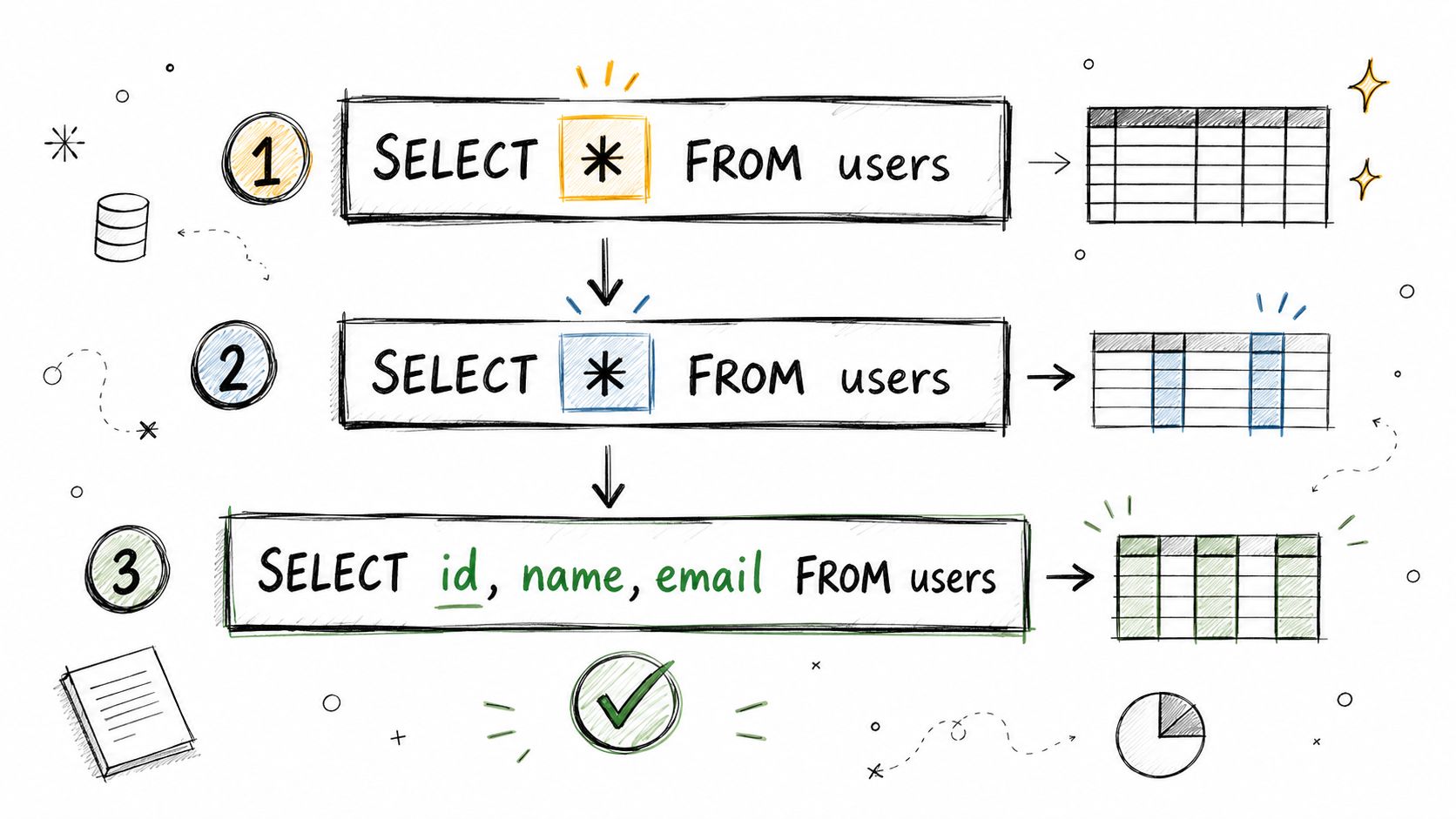
It returns all columns visible to the query from users. For a durable query, rewrite it with the fields the consumer needs:
That second form communicates intent. It also makes a migration review meaningful, because adding a column to users won't alter the result.
Aliases help when a query references more than one table:
Some systems support a qualified wildcard such as SELECT u.*, including PostgreSQL and MySQL. SQL Server doesn't accept that same syntax, so portability requires care. Even where it works, u.* still leaves the result coupled to the source table's future columns.
Dialect details cause avoidable failures. MySQL uses backticks for identifiers when quoting is necessary, Oracle has its own rules for reserved words and identifier naming, and SQLite is unforgiving about malformed comma placement in explicit lists. A trailing comma such as SELECT user_id, email, FROM users is invalid SQL in common SQLite usage and should never be treated as harmless formatting.
Bound exploratory queries according to your database:
Use an explicit ordering clause when the sample needs a predictable sequence. A limit without ordering bounds the output, but it doesn't define which rows the database will return.
For schema discovery, query metadata instead of repeatedly pulling data. INFORMATION_SCHEMA.COLUMNS can show column names, data types, and ordinal positions, while vendor catalogs expose additional details. That approach keeps exploration focused on structure and avoids transferring values you don't need.
For a broader set of reusable analytics patterns, see this guide to the top SQL queries for analytics. The same discipline applies throughout: explore quickly, then turn useful queries into explicit, inspectable statements.
SELECT *, SELECT ALL, and SELECT DISTINCT Compared
The three forms answer different questions. Consider a customers table containing repeated rows:
This asks for every selected column and preserves every result row, including repeated rows.
This is effectively the same result. ALL is optional because keeping duplicates is the default behavior in standard SQL.
This still selects every column, but it removes rows that are identical across the full selected projection. If two records differ in any selected field, both remain.
Keyword | Effect on columns | Effect on rows | Dialect support | Typical use case |
|---|---|---|---|---|
| Selects all visible columns in scope | Does not remove duplicates | Widely supported, with vendor-specific exceptions | Temporary inspection |
| Doesn't change the selected columns | Keeps duplicate rows, usually the default | Standard SQL behavior, with dialect variation | Explicitly documenting row preservation |
| Applies to the selected columns | Removes duplicate result rows | Widely supported | Deliberate deduplication |
The common mistake is using DISTINCT to hide a join problem or a missing filter. If a customer appears repeatedly because the query joins to several orders, DISTINCT may erase legitimate differences or conceal an incorrect relationship. First identify why the rows multiply. Then select the grain you need, such as one row per customer or one row per order.
DISTINCT can also require the database to compare the projected values, often through sorting or hashing. That work becomes heavier when the projection is wide, particularly when it includes large text or binary fields. Selecting fewer columns before deduplication can reduce the comparison payload, but only if those columns represent the identity you want.
Remember the split:
*answers “which columns?”ALLandDISTINCTanswer “how should duplicate rows behave?”
Use SELECT * when you need all visible columns for inspection. Write SELECT ALL only when making the default duplicate-preserving behavior explicit. Use DISTINCT deliberately, with a clear definition of what counts as a duplicate.
When SELECT * Hurts Performance
The wildcard itself isn't a magical performance penalty. The cost comes from what it asks the database to retrieve, carry, process, and return.
Suppose an orders table has an index that contains user_id and email for a particular access pattern. A query that selects only those indexed fields may be satisfied from the index without fetching the full base row. That's an index-only or covering-index access pattern. SELECT * asks for every visible column, so the optimizer generally has to fetch base-row data when the index doesn't contain the rest of the projection. Those lookups add I/O, and the extra fields increase network transfer and client-side memory use, as explained in this technical discussion of SELECT performance.
A wide projection can also change the shape of the plan. Sorts and hash operators must carry the selected columns through their work. An aggregation that only needs user_id and email can become more memory-intensive when the query requests descriptions, audit fields, or large object columns that no downstream step uses.
The cost is row width, not the asterisk alone
A query with many columns isn't automatically wrong. If an analyst needs the complete row and the result is small, the wider projection may be the correct trade-off. The problem appears when a broad projection becomes the default inside a join, report, ORM method, or reusable view.
Metric |
|
|
|---|---|---|
Projection | Only named fields | Every visible field in scope |
Index-only access | Possible when the index covers both fields | Less likely when other fields aren't indexed |
Row width | Limited to requested values | Expands with every selected field |
Network payload | Contains only requested values | Includes unused values |
Schema sensitivity | Changes only when named fields change | Changes when visible columns are added or exposed |
Measure the actual query rather than optimizing from instinct. In SQL Server, inspect execution plans and use SET STATISTICS IO to compare logical reads. In PostgreSQL, use EXPLAIN and, where appropriate, EXPLAIN ANALYZE. Compare the explicit projection with the wildcard on the same predicates, then review elapsed time, reads, plan operators, and returned bytes.
The broader guidance in this SQL query optimization resource is sound: make the query narrower when the workload needs a narrower result, but verify that the change improves the measured bottleneck.
The Schema Drift Problem Most Guides Skip
A schema migration can turn a harmless-looking wildcard into a security and data-integrity problem.
Consider a reporting query that reads from users with SELECT *. A developer adds a password_reset_token column during a routine migration. The report job doesn't have an explicit projection, so the new field enters the result automatically. If the job writes a fixed-width file by positional order, every later field shifts. The dashboard may continue to render because its view still resolves, but the meaning of the columns has changed. A generated finance PDF can then expose a field that never belonged in the report.
This is a representative failure mode, not a claim about a documented named incident. The mechanics are straightforward, and practitioner guidance identifies the broader risk: adding a column can change downstream result shapes, create duplicate or ambiguous names in joins, increase application memory use, and expose fields that consumers weren't designed to receive (jOOQ's discussion of SELECT *).

Treat result shape as an API
The dangerous assumption is that a database table is only an internal implementation detail. Once a query feeds a dashboard, export, API, notebook, or ETL file, the projection becomes an interface. A wildcard says, “send whatever the source exposes today,” which is not a stable contract.
Views deserve special attention. A view created around a wildcard can preserve an implicit relationship with its source schema, depending on the database and how the view is maintained. Even when the view itself doesn't immediately fail, consumers can receive an altered shape or new values.
Detection should happen before production:
Compare metadata: Use
INFORMATION_SCHEMAor vendor catalogs to detect added, removed, and changed columns.Search query logs: Filter for wildcard projections in scheduled jobs, service queries, and transformation code.
Pin contracts: Add tests for expected column names, types, order, and permitted sensitive fields.
Review joins: Reject unqualified wildcards where two tables can contribute similarly named columns.
A schema is the organized definition of tables, columns, relationships, and constraints. This overview of database schemas provides useful terminology, but the operational lesson is simpler: explicit column lists make hidden assumptions visible in code review.
Security rule: If a result can leave the database, never let a future column decide whether it leaves with it.
A Default Rule for Safe SQL Select All Usage
Use a different default for each context.
Exploration and ad hoc analysis
SELECT * is acceptable when you're inspecting an unfamiliar table manually. Bound it with a row limit, avoid pulling large fields unnecessarily, and treat the statement as temporary. Once the query produces a chart, metric, or reusable transformation, replace the wildcard with the fields that support that output.
Production reporting and scheduled jobs
List every column explicitly. Keep the query in version control, review changes as contract changes, and name fields in the order the consumer expects. A report should fail review when a new source column appears, not quietly absorb it.
Joins across wide tables
Project keys and required attributes only:
Qualify every field. SELECT u.*, o.* may be useful for one-off debugging, but it creates unnecessary width and makes future joins harder to reason about.
Views and materialized views
Enumerate the columns at creation time. A view is often consumed by more people and tools than its defining query suggests, so it should expose a deliberate schema rather than inherit a changing table shape.

Use this checklist in code review:
Exploration: Allow
SELECT *for human inspection, with a limit, and don't feed the result downstream.Team boundaries: Require explicit columns whenever another team or system consumes the query.
Service responses: Return a strict schema subset rather than exposing a table directly.
Sensitive fields: Review whether each selected field is safe for the destination.
Testing: Add contract tests and a CI lint rule for wildcard projections outside approved exploration paths.
Documentation: Record the intended grain, fields, and ownership beside the query.
For queries built from reusable transformations, common table expression guidance can help keep each stage explicit and reviewable.
The meta-rule is practical: choose the cheapest query that still provides a stable contract. Exploration values speed and visibility. Production code values control, predictable shape, and safe change.
Querio can turn plain-English questions into inspectable, editable SQL against your database or warehouse, which helps analysts explore data while keeping the generated query visible for review. If your team needs a more structured path from exploration to reusable analysis, visit Querio and evaluate how it fits your SQL workflow.