What Is a Data Science Platform? a Founder's Guide
Discover what a data science platform is and how to choose one. This guide explains features, use-cases, and how new platforms empower self-serve analytics.
https://www.youtube.com/watch?v=jgVCZiDzqBM
published
Outrank AI
data science platform, self-serve analytics, data infrastructure, business intelligence, querio
697d89bc-7fd2-4ea0-a5e9-16557a9e3644

A founder asks for a churn analysis on Monday. Product wants to know whether a new onboarding step improved activation. Sales wants a list of accounts showing expansion risk before Friday. None of these requests are unusual. What turns them into a company problem is the same answer every time: “The data team is on it.”
That answer sounds responsible. In practice, it often means your analysts have become a human API. Every new question enters a queue. Every dashboard spawns a follow-up request. Every model or experiment depends on a small group translating business questions into SQL, Python, notebooks, and one-off explanations.
That's usually when leaders start asking whether they need a data science platform. Not because they want another tool. Because they need a different operating model for data work.
Table of Contents
Your Data Team Is a Bottleneck Is a Platform the Answer
A lot of startups hit the same wall around the same time. Revenue is growing, the product has enough users to produce meaningful behavior data, and decisions start carrying more cost. You can no longer rely on instinct alone, but your team still works as if every answer should come from a heroic analyst pulling data manually.
The pattern is familiar. One analyst owns board reporting. Another supports product. A data engineer is cleaning pipelines and getting dragged into ad hoc requests. Business users open tickets for every metric change, and leadership mistakes the queue for discipline.
It isn't a people problem. It's an infrastructure problem.
Practical rule: If your best data people spend most of their week translating routine business questions into custom outputs, your company doesn't have a talent shortage. It has a workflow design problem.
The reason this category keeps getting bigger is simple. Companies now treat data platforms as core infrastructure, not side tooling. The Grand View Research estimate of the data science platform market put it at USD 96.25 billion in 2023, with a projection of USD 470.92 billion by 2030 and 26.0% CAGR from 2024 to 2030. That shift matters because it reflects how companies are buying. They're no longer shopping for isolated analytics software. They're investing in systems that turn raw data work into repeatable operating capability.
Founders usually don't need more dashboards at this stage. They need fewer handoffs. That's why the right move often sits closer to workflow redesign than reporting expansion. If your team is also thinking about integrating AI into your team, treat the data layer as part of that conversation. AI doesn't remove bottlenecks if every useful question still depends on a specialist pulling data by hand.
The first useful diagnostic is whether your company's pain looks like the common data analysis bottlenecks that slow decision-making. If it does, a platform can help. If it doesn't, adding software may only formalize the chaos you already have.
Beyond Dashboards What a Data Science Platform Really Is
Many teams use the term loosely. They call a BI tool a platform. They call a notebook environment a platform. They call a stack of warehouse plus dbt plus dashboards plus scripts a platform because it sounds mature.
That's how companies end up with a kitchen full of appliances and no actual kitchen system.
A useful analogy is the difference between a home setup and a commercial kitchen. In a home kitchen, you can cook well if the meal is simple and the cook knows the quirks of every appliance. In a commercial kitchen, the point isn't just cooking. The point is coordinated production, repeatability, handoff quality, and throughput under pressure. You need prep stations, storage, tools, safety standards, workflow, and the ability for multiple people to work without tripping over each other.
A real data science platform serves the same function. It's not just where someone writes code or opens a dashboard. It's the environment where data moves from source to decision, and where analysis can become production work rather than a one-off artifact.
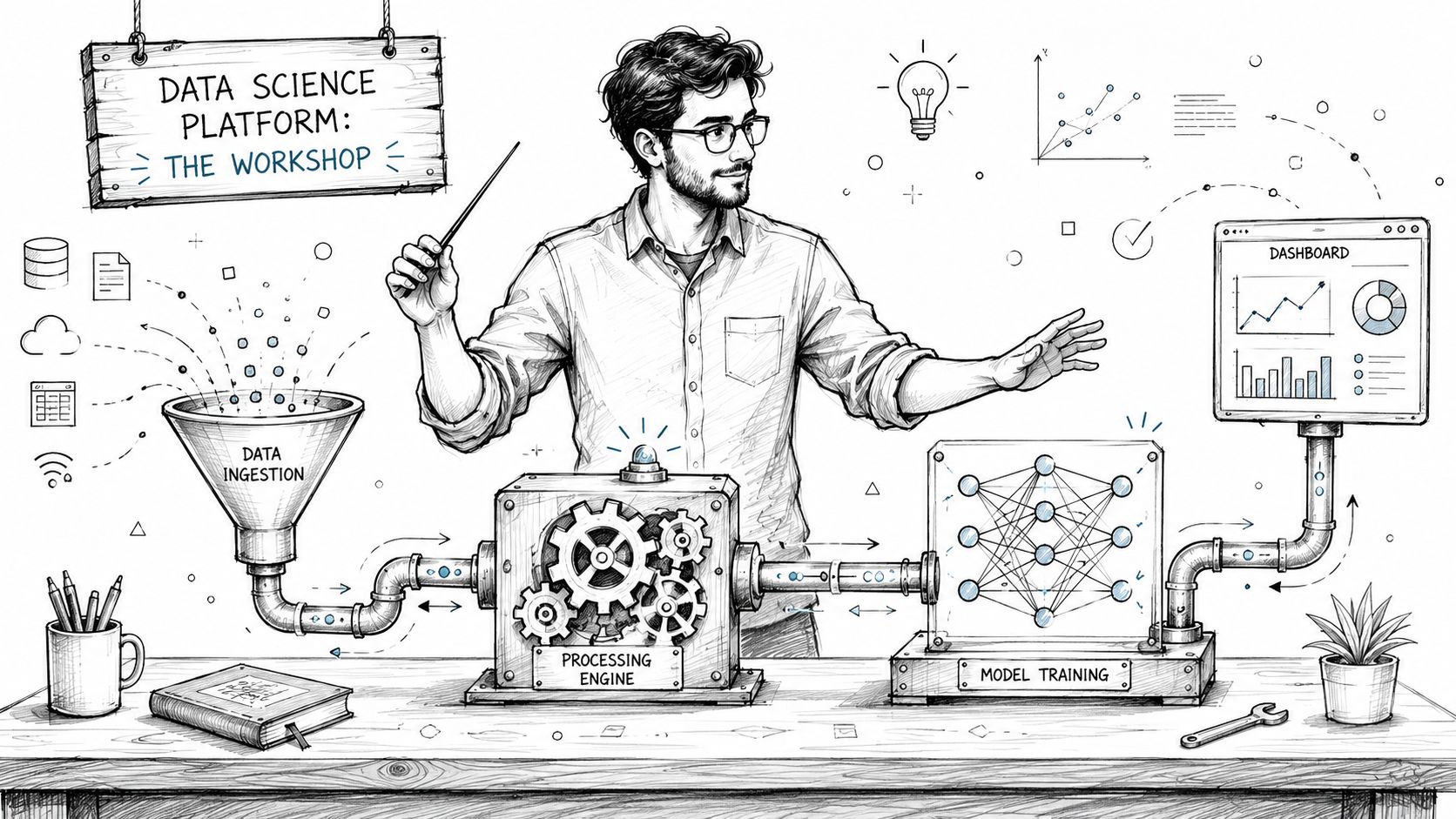
A mature platform has to support the full lifecycle. The Anaconda buyer's guide on data science platforms frames that lifecycle as data sourcing and preparation through model building, deployment, monitoring, version control, and collaboration. That definition matters because it separates a platform from a narrow tool. If a product solves one slice of the work but pushes the rest into Slack threads, local files, and tribal knowledge, it's not a platform in the operational sense.
What teams often mistake for a platform
A few patterns show up repeatedly:
A BI layer with polished dashboards
Strong for reporting consumption. Weak when users need exploratory work, iterative modeling, or code-driven analysis.A notebook hub used by analysts and data scientists
Great for flexible work. Fragile when governance, reuse, deployment, and non-technical accessibility become priorities.A collection of best-in-class tools
Sometimes this is the right architecture. It becomes a problem when the “platform” only exists in the heads of two senior team members.
A platform earns the name when it reduces coordination cost, not when it adds another place to work.
That distinction is why founders should care about philosophy, not just features. A dashboard-centric setup creates a consumption culture. A notebook-centric setup creates an expert culture. An integrated platform can create a participation culture, where more people can safely ask, inspect, build, and act on data without waiting in line.
Core Architecture of a Modern Data Platform
The best way to evaluate a platform is to look at the work it has to carry. Not the UI first. Not the feature grid. Start with the architecture underneath and ask whether it can support how your company uses data.

The layers that matter
A modern platform usually needs six layers working together.
Layer | What it does | What to look for |
|---|---|---|
Data connectivity | Pulls from warehouses, apps, files, and event streams | Stable connectors, clear permissions, low-friction setup |
Workspace | Gives people a place to query, analyze, and document | SQL, Python, notebooks, and collaborative context |
Processing engine | Handles transformation and compute-heavy tasks | Support for distributed work when data volume or complexity grows |
Governance | Controls definitions, access, versioning, and auditability | Shared logic, reproducibility, permission controls |
Deployment | Turns analysis into repeatable outputs | APIs, scheduled jobs, applications, production workflows |
Monitoring | Tracks freshness, failures, and model behavior | Operational visibility, alerting, and maintenance support |
For large-scale workloads, the processing layer matters more than most buyers assume. The GeeksforGeeks overview of data science platforms points to Apache Spark as a canonical engine for handling “terabytes or even petabytes” of data, and it emphasizes that big data platforms need to stay flexible, performant, secure, compliant, and cost-effective as usage grows. You may not need Spark on day one. You do need an architecture that won't force a redesign when complexity rises.
The storage and structure choice matters too. Teams often swing between maximum flexibility and maximum control. If you're weighing that trade-off in your own environment, this breakdown of flexibility vs structure in data is useful because it clarifies why some workflows belong closer to a warehouse model and others benefit from looser storage patterns. The key is coherence. A platform should help your team work across those choices, not force one ideology on every use case.
What breaks when one layer is missing
Most expensive data problems aren't caused by missing features. They're caused by missing joins between features.
A few examples:
Strong query interface, weak governance
Teams move fast at first, then duplicate logic, redefine metrics, and argue over whose result is correct.Good modeling environment, poor deployment path
Analysts produce impressive work that never makes it into the product, operations workflow, or customer experience.Reliable storage, clumsy workspace
The warehouse is solid, but business users still depend on specialists because the working surface is too technical.
The modern data stack guide from Querio is helpful here because it frames the stack as a system of connected responsibilities rather than separate tool purchases. That's the right way to think about architecture. A platform isn't one box. It's the operating surface that ties those boxes together so work survives beyond the person who started it.
Who Actually Benefits from a Data Platform
Not everyone benefits in the same way. That's why platform discussions often go sideways. Finance hears “tool consolidation.” Product hears “self-serve analytics.” The data team hears “another migration.”
The more useful lens is role-specific advantage.
The founder use case
A founder usually feels the pain first through delay. They want to know why pipeline conversion changed, which customer segment retains better, or whether a new pricing experiment is working. None of those questions are exotic. They become expensive because the answer arrives after the decision window has already closed.
With the right platform, the founder doesn't need to become an analyst. They need a system where the data team can encode reliable access paths and the rest of the company can use them without opening a queue for every variation of the question.
The product leader use case
A product leader lives in iteration speed. They need to inspect user behavior, compare cohorts, look at funnels, and understand edge cases without turning every insight cycle into a mini project.
This is one reason the market has expanded across data-heavy industries. Coherent Market Insights describes adoption across BFSI, healthcare, retail, telecommunications, and other industries, and notes that North America represented 34.1% of market share in 2026. Those sectors differ in business model, but they share the same need: people close to the decision need better access to data work without compromising control.
Product teams don't become more data-driven because they receive more dashboards. They become more data-driven when they can interrogate behavior while the product question is still alive.
The head of data use case
For a Head of Data, the benefit is less about doing analysis faster and more about changing the team's posture. A good platform lets the data function move from reactive service desk to infrastructure owner.
That shift changes hiring and management. Instead of rewarding only the people who can heroically answer difficult one-off requests, you can reward people who create reusable logic, stable workflows, governed definitions, and interfaces that others can trust.
A practical summary:
Founders get faster strategic answers without expanding the analytics queue.
Product leaders get tighter iteration loops because exploration happens closer to the work.
Heads of Data get scale by turning custom analysis into reusable systems.
When a platform works, it doesn't just improve access. It changes who can contribute, how work is reused, and where the data team spends its scarce attention.
How to Evaluate a Platform for Your Mid-Market Company
Mid-market companies often buy data tools the wrong way. They run a feature comparison, score vendors on a spreadsheet, and choose the product with the most boxes checked. Then they spend the next year discovering that adoption, maintenance, and governance costs were the deciding factor.
The better question is not “What can this tool do?” It's “What kind of company will we become if we use it?”
Start with economics not demos
The cleanest demos usually hide the hardest costs. You need to look at total cost of ownership, not license cost alone. The Enterprisers Project discussion of low-code data science platforms makes this explicit: evaluation should include TCO across both build and maintenance phases. The same piece notes that more than 70% of data science projects report minimal or zero business impact, which is a useful warning. Poor ROI usually isn't caused by a missing button. It comes from weak adoption, unclear ownership, and workflows that never cross the line from experiment to business value.
Ask vendors questions that expose those realities:
Implementation burden
Who needs to configure semantic logic, permissions, deployment paths, and user training?Ongoing maintenance
What requires specialist attention every month? Metric changes, broken models, notebook drift, access reviews?Behavioral adoption
Can product managers and operators become effective without creating governance chaos?
If you want a broader framing before procurement starts, this guide on compare leading AI platforms is worth reading because it pushes beyond checklist thinking and into model fit. The same principle applies here. A technically capable platform can still be wrong for your company if it assumes a level of process maturity you don't have.
Ask culture questions not just technical questions
This is the part teams often skip. Platform choice shapes culture.
A rigid system can improve consistency and still slow learning. A highly flexible system can unlock smart teams and still create chaos. The right answer depends on whether your company needs more standardization, more exploration, or a controlled way to get both.
Use a simple evaluation frame:
What work should become self-serve
Routine questions, recurring reporting, lightweight exploration.What work should remain expert-led
Sensitive analysis, production-grade modeling, governance design.What handoffs should disappear
Ticketing for basic cuts, repeated metric definitions, manual translation between business and technical users.What failure mode can you tolerate
Slower change with more control, or faster change with more mess.
Buy for the operating model you want in twelve months, not the pain you're trying to escape this quarter.
If your team is deciding whether to assemble this capability internally or purchase it, the buy versus build trade-off in analytics infrastructure is the right conversation to have before vendor demos start. Otherwise you'll compare products without deciding what problem you're solving.
The New Wave Querio vs Traditional BI and Notebooks
The market is crowded because different tools represent different philosophies of data work. That's why feature comparisons often mislead. Two products can both support SQL, charts, and sharing, while pushing teams into completely different behaviors.
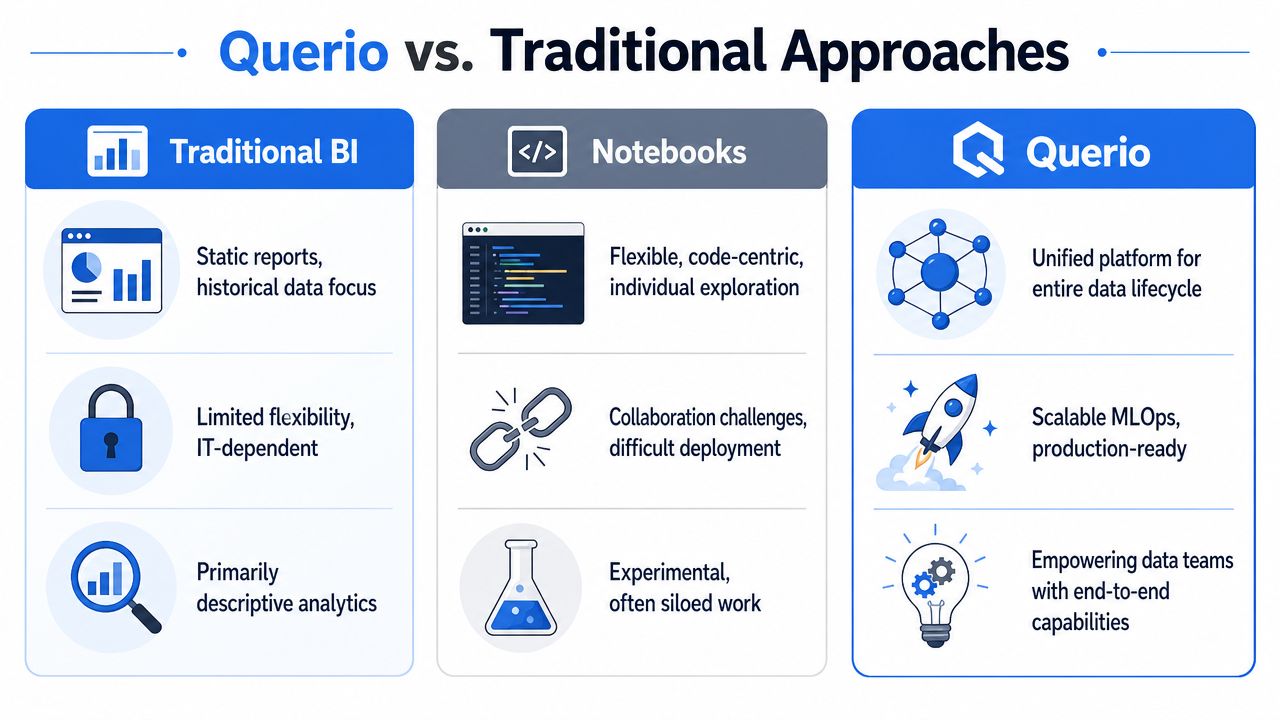
Three philosophies of data work
Traditional BI tools such as Looker or ThoughtSpot tend to optimize for governed consumption. Their strength is consistency. Metrics can be defined centrally, dashboards can be distributed broadly, and business users can access approved views without touching raw logic. The weakness is that curiosity quickly runs into rails. When the question falls outside the model, users go back to the data team.
Notebook-centered tools such as Hex optimize for flexible exploration. Analysts and data scientists can combine SQL, Python, narrative, and visualization in one environment. This is a strong model for technical work. The downside is that flexibility often lives with individuals. Logic spreads across notebooks, collaboration quality varies, and non-technical users still depend on someone else to drive the session.
Then there's a third approach. Some platforms place AI-assisted analysis directly on top of the warehouse and organize work more like a shared file system than a collection of disconnected reports or personal notebooks. In that model, the unit of work is neither a static dashboard nor a private coding surface. It's a reusable analytical object that both technical and non-technical users can inspect, extend, and operationalize. This comparison of Hex vs Querio when notebooks aren't enough for business users captures that distinction well.
Why the middle ground matters
This isn't just about interface preference. It's about where control sits.
A BI-first culture says: centralize logic, then let people consume.
A notebook-first culture says: let experts explore, then figure out how to share.
A warehouse-native, agent-assisted model says: keep logic close to the data and make the working surface accessible enough that more people can participate safely.
That last model is where Querio fits. It deploys AI coding agents on the data warehouse and organizes work in a file-system-like structure with custom Python notebooks, so analysis can be shared and extended without turning the data team into the sole translation layer. For some mid-market teams, that solves a very specific problem: they've outgrown dashboards, but they don't want all important work trapped in analyst notebooks either.
The real comparison isn't BI versus notebooks. It's consumption culture versus expert culture versus collaborative infrastructure.
Founders should evaluate these models based on failure mode. If your company mainly needs governed reporting, traditional BI may be enough. If your value comes from a highly technical analytics team shipping custom work, notebooks may be enough. If you need shared, warehouse-native work that lets specialists and business users build on the same foundation, the hybrid model becomes much more interesting.
Making the Switch Your Implementation Roadmap
The migration usually fails when teams treat it as a software install. It's closer to an operating change. You're changing who asks questions, who owns definitions, and how work moves from exploration into repeatable use.
Start with one workflow not a full replacement
Pick one domain with visible demand and manageable risk. Product analytics is often a good candidate. So is pipeline reporting or customer health review. Connect the platform to the warehouse, define a small set of trusted inputs, and move one recurring workflow into the new system.
Don't migrate every dashboard, notebook, and ad hoc habit at once. You want one proof point that changes behavior. The win is not “tool deployed.” The win is “fewer tickets, faster answers, and clearer ownership.”
A practical sequence works well:
Choose one high-friction workflow that currently creates repeated analyst dependency.
Define shared logic early so users don't inherit metric ambiguity.
Train on real questions from product, sales, or operations instead of generic tutorials.
Retire old paths deliberately so people don't fall back to Slack requests and spreadsheet extracts.
Change the team contract
The human change is the harder part. Analysts need permission to stop being request processors. Business users need to learn what self-serve does and doesn't mean. Leaders need to stop rewarding heroics and start rewarding reusable infrastructure.
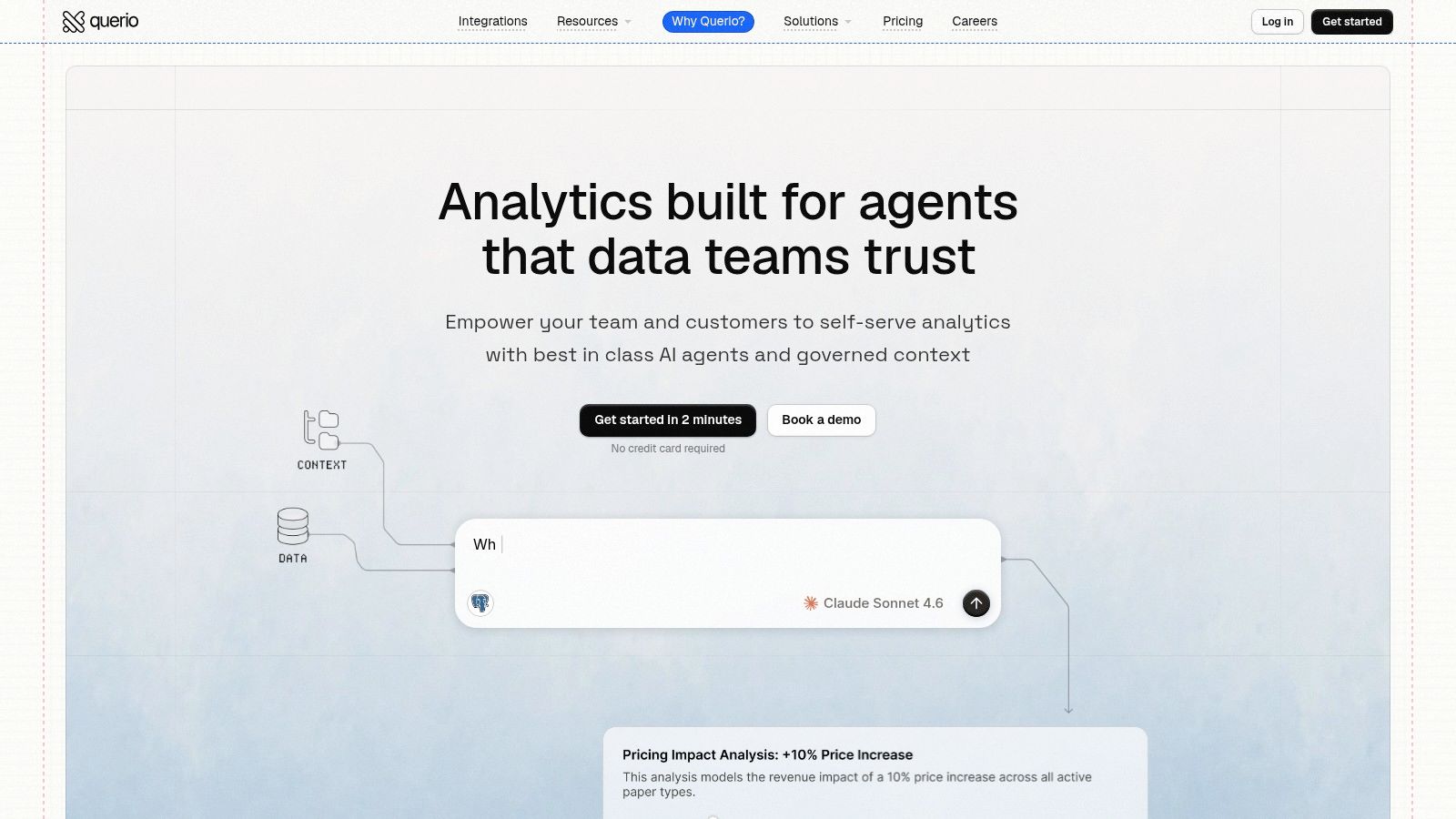
A short product walkthrough helps teams visualize what that shift looks like in practice.
The healthiest implementations do three things at once. They teach users how to explore safely, they move recurring work into shared structures, and they keep governance close to the warehouse instead of buried in someone's local logic. That's how a platform becomes part of the company's decision process rather than another layer of software to maintain.
If your team is stuck between rigid BI, fragmented notebooks, and an overloaded data function, Querio is worth evaluating as part of your next platform review. It gives mid-market companies a warehouse-native way to let more people work with data while keeping the data team focused on shared infrastructure instead of endless request queues.

