User Engagement Metrics: A Practical Guide for 2026
Master the user engagement metrics that drive growth. Our guide covers formulas, data collection, dashboards, and prioritizing metrics from startup to scale.
https://www.youtube.com/watch?v=OWhyQUeLMqw
published
Outrank AI
user engagement metrics, product analytics, saas metrics, data-driven growth, querio
61f9d7fb-2b93-46f0-a1cb-68539b42f58d

Are your engagement metrics showing user value, or are they just showing activity?
I've seen teams celebrate rising session length, more clicks, and bigger traffic charts, then discover the product had become harder to use. Users weren't more engaged. They were stuck. That's the core problem with most discussions about user engagement metrics. They stop at dashboard labels and never connect the metric to the event design, warehouse model, and query logic underneath it.
The shift to event-based tracking made that gap impossible to ignore. Once teams moved away from pageviews as the default frame, the question changed from “Did users visit?” to “What meaningful actions did they take, and did those actions predict retention, expansion, or churn?” If you want a cleaner way to frame that question, this piece on what metrics really matter and how AI can surface them is a useful complement.
A solid engagement stack has three layers. First, a business definition of value. Second, instrumentation that captures behavior at the event level. Third, analysis that turns raw events into decisions a product, growth, or executive team can use. When any one of those layers is weak, teams drift into vanity reporting.
Table of Contents
Beyond Pageviews What Engagement Really Means
Teams still inherit a mental model from older web analytics: pageviews, sessions, bounce rate, and average time on site. That model was convenient because it was easy to collect and easy to explain. It was also incomplete.
A foundational change came with Google Analytics 4, which replaced the older Universal Analytics model and made event-based tracking the default approach. That shifted measurement toward interactions such as scrolls, clicks, and video engagement instead of relying mainly on pageviews and sessions, as summarized in this overview of event-based user engagement metrics in GA4. Once you accept that shift, engagement stops being a traffic question and becomes a behavior question.
Why event design changed the conversation
In practice, “engaged” should mean a user completed or repeated a behavior that maps to product value. For a collaboration product, that may be creating and sharing work. For a reporting product, it may be connecting data, running a saved report, or inviting teammates. For a marketplace, it may be searching, comparing, saving, and completing a purchase flow.
That sounds obvious, but many teams still measure success with metrics that are one step removed from value.
High activity without task completion is often just expensive ambiguity.
The useful distinction is between exposure, interaction, and value realization:
Exposure means the user saw something. A page loaded, a screen rendered, an email opened.
Interaction means the user did something. They clicked, scrolled, searched, filtered, or played a video.
Value realization means they reached the outcome your product exists to provide.
Only the third layer deserves heavy strategic weight. The first two are diagnostic.
Product teams need fewer assumptions, not more charts
When a product team says engagement is “up,” I ask three questions:
Question | Why it matters |
|---|---|
Which user segment? | New users, activated users, and mature accounts rarely behave the same way. |
Which action increased? | More sessions and more feature use can point in opposite directions. |
What business decision changes because of it? | If no decision changes, the metric is probably too vague. |
The best engagement systems don't try to summarize everything in one number. They tie a handful of user engagement metrics to specific operating decisions: improve onboarding, simplify a workflow, reposition a feature, intervene on at-risk accounts, or change how success is reported to leadership.
The 10 Core User Engagement Metrics You Must Track
Which engagement metrics actually change product decisions, and which ones just decorate a dashboard?
The answer starts in the warehouse, not the slide deck. A usable metric set has to map cleanly from business questions to event definitions, SQL models, and the decisions each team will make from the output. If you're aligning product, growth, and finance on shared definitions, a short reference on understanding key performance indicators helps prevent the usual arguments over what “active” or “retained” means.
The standard set of engagement KPIs
Organizations typically begin with active-user metrics, return behavior, session patterns, and funnel performance. That baseline is correct. In practice, I also want each metric tied to one warehouse model and one owner. If DAU lives in Mixpanel, retention lives in a spreadsheet, and feature adoption lives in ad hoc SQL, the team will spend more time debating numbers than improving the product.
A good operating set covers three questions:
Are users coming back?
Are they using the parts of the product that create value?
Are they progressing toward revenue, expansion, or long-term account health?
Amplitude's guidance on product engagement metrics is useful here because it frames engagement as repeated value-producing behavior rather than raw activity.
Core user engagement metrics at a glance
Metric | Formula / Calculation | What It Tells You |
|---|---|---|
Daily Active Users (DAU) | Count of unique active users in a day | Daily reach of meaningful product use |
Weekly Active Users (WAU) | Count of unique active users in a week | Mid-frequency usage for products not used every day |
Monthly Active Users (MAU) | Count of unique active users in a month | Broad active user base and denominator for stickiness |
Stickiness (DAU/MAU) | DAU divided by MAU | Share of monthly users active on a given day |
Retention rate | Percentage of users who return after first use over a defined period | Whether users come back and continue to find value |
Churn rate | Share of users or accounts lost during a period | Where engagement is failing badly enough to cause exit |
Session frequency | Sessions per user in a defined period | How habit-forming or workflow-integrated the product is |
Session length | Total session time divided by session count | Depth of usage, with caution because long sessions can also indicate friction |
Feature adoption rate | Users who used a feature divided by relevant active users | Whether a feature gets discovered and used |
Conversion funnel drop-off | User loss between steps in a defined journey | Where activation or monetization breaks down |
These ten are enough for many teams. The hard part is defining them properly.
How these metrics map to your data model
At our last startup, we kept engagement reporting stable by building from a narrow event contract. Every event had user_id, account_id, event_name, event_ts, platform, and a JSON property blob for event-specific context. We then promoted only a small set of events into modeled tables such as fact_user_activity, fact_sessions, fact_feature_usage, and fact_funnel_steps.
That structure matters because each metric should be reproducible in SQL without hand edits.
A simplified DAU model looks like this:
The phrase “meaningful activity” does most of the work. For a collaboration product, that might mean created_project, commented, invited_teammate, or completed_task. For a content product, it could be published_post, saved_item, or shared_asset. Logging in alone is often too weak.
Retention needs a cohort table, not a rolling average:
Feature adoption is where weak instrumentation usually shows up first. If the only event is clicked_feature_button, you will overstate adoption. We had better results defining adoption as repeated completion of the feature's core action, often at the account level for B2B products.
What each metric is actually for
A few of these metrics deserve stricter interpretation.
DAU, WAU, and MAU are coverage metrics. They tell you how many users reached a meaningful threshold of activity. They do not tell you whether that activity was valuable.
Stickiness is useful for trend monitoring, especially when leadership wants one simple ratio. It breaks down when teams compare products with very different natural usage cadences.
Retention is the metric I trust most for product-market fit. It should be segmented by acquisition source, persona, and activation state.
Churn belongs next to retention, but it should be measured at the right entity level. User churn and account churn answer different questions.
Session frequency helps on products that fit into a recurring workflow. For low-frequency products, it can create pressure to optimize for unnecessary visits.
Session length needs guardrails. Long sessions can mean deep work, or they can mean confusion.
Feature adoption should focus on features linked to retained accounts, not every shipped capability.
Funnel drop-off is strongest when tied to a real business path such as activation, team setup, first report creation, or upgrade.
I usually separate ownership this way. Product owns retention, feature adoption, and funnel drop-off. Growth watches active-user trends and activation paths. Customer success and sales care more about account-level usage, seat penetration, and churn risk.
Add sentiment and commercial context, but keep them separate
Engagement metrics alone rarely explain why a healthy-looking account later contracts. That is why many teams add NPS, CSAT, expansion rate, or customer lifetime value to the review pack.
I would not mix those into the core ten. I would pair them with the core ten.
Usage metrics describe behavior. Sentiment metrics describe perception. Commercial metrics describe business outcome. When all three line up, decision-making gets easier. When they conflict, that is usually the start of the in-depth analysis.
Practical rule: Pair every activity metric with a value check. If session count rises, ask whether task completion, retention, or expansion also improved.
Distinguishing Productive Engagement from User Friction
How do you tell the difference between a user getting real value and a user getting stuck?
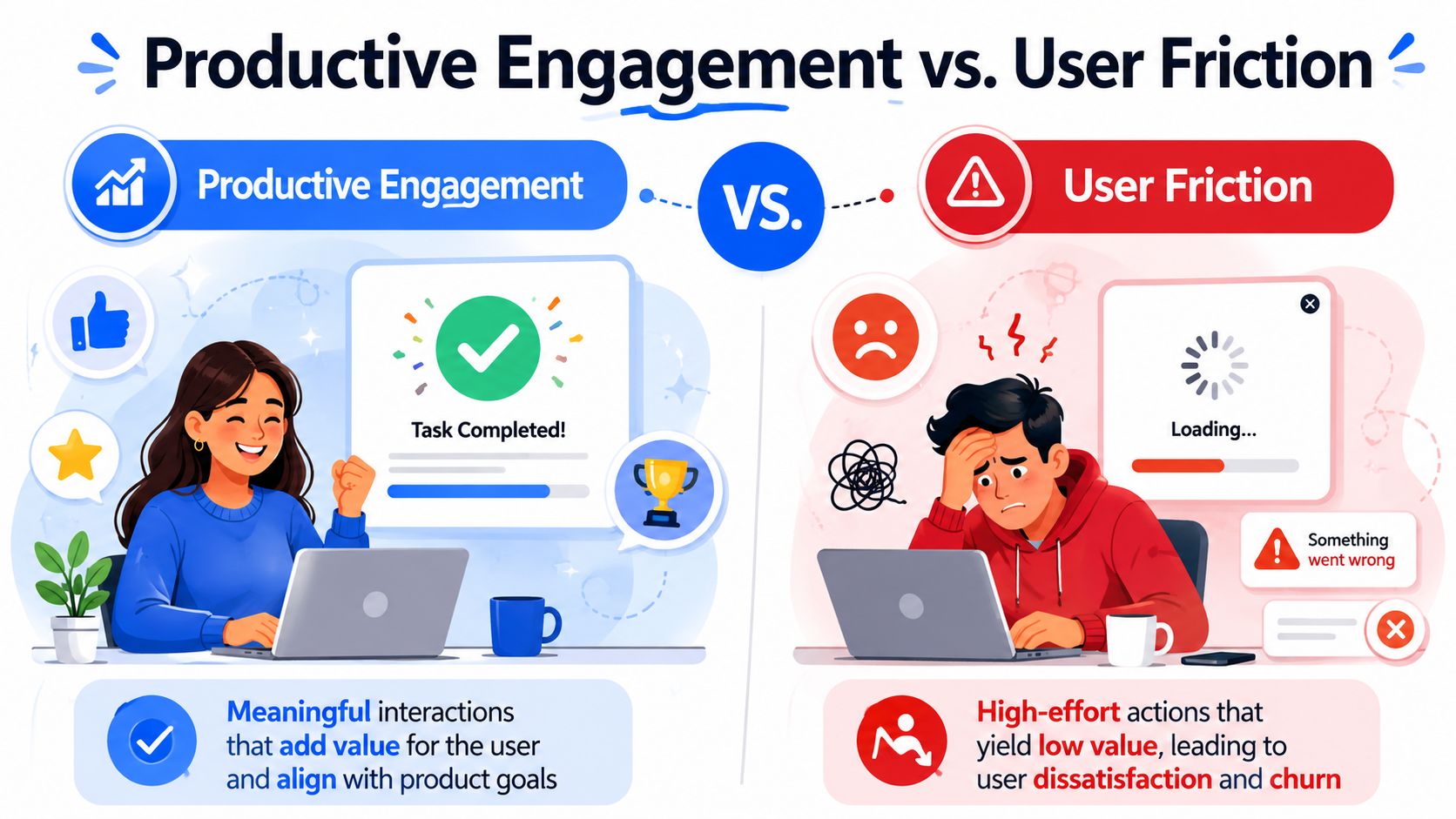
Raw activity does not answer that question. More time in product, more clicks, and more screens viewed can signal success, but they can just as easily signal failure with extra steps. The teams that measure engagement well map activity to task completion, expected workflow length, and whether the user came back for the same job later.
A useful framing comes from the UX discipline. The Nielsen Norman Group on user journeys and friction points describes how teams identify moments where users stall, backtrack, or abandon progress. That is the right lens for engagement analysis too. In the warehouse, the job is to separate motion from progress.
What productive engagement looks like in the data
In practice, I look for a path that matches the product's intended job.
A finance user who logs in, exports a report, shares it with the team, and leaves after three minutes may be one of your healthiest users. A second user who spends twelve minutes opening filters, changing date ranges, hitting errors, and never exports anything will inflate session duration while getting less value.
That distinction only becomes visible if the event model captures the right checkpoints. Pageviews are too coarse. We need events for task start, task completion, retries, validation failures, error states, help views, and exits.
Productive engagement usually shows up as:
Recognizable intent: the event sequence matches a known use case such as invite teammates, create first dashboard, or publish report
Low-friction completion: the user reaches the outcome without repeated retries or error loops
Repeat usage tied to value: they return to run the workflow again, not to fix an unresolved setup problem
Friction tends to produce a different signature:
High interaction count with no completion
Long dwell time on simple steps
Backtracking across the same screens
Repeated visits to setup, billing, permissions, or support surfaces
A burst of activity followed by silence or churn
Build the distinction into your event schema
High-level metric talk usually falls apart. If the warehouse only stores page_view, button_click, and session_start, analysts cannot separate successful work from confusion.
The schema needs outcome-aware events. A simple pattern looks like this:
For a report-building workflow, that often becomes:
report_builder_openedreport_filter_appliedreport_run_succeededreport_run_failedreport_exportedreport_shared
Once those events exist, the analysis gets much better. You can measure completion rate, retries before success, median time to outcome, and whether support-heavy behavior predicts later churn.
A practical segmentation pattern
I usually segment engagement quality with a simple matrix first, then refine it once the product and data model mature.
Behavior pattern | Likely interpretation |
|---|---|
High frequency plus high completion | Productive habit |
Low frequency plus high completion | Valuable but naturally occasional usage |
High time spent plus low completion | Friction, confusion, or broken workflow |
Repeated visits without key action completion | Unresolved intent |
High support or settings activity before drop-off | Setup or permission problem |
Here is a warehouse-level example that flags likely friction around a key workflow:
That output is not the decision. It is the starting point. Product managers can review the highest-friction cohorts, watch session replays if they use them, and confirm whether the issue is UX, permissions, data latency, or poor onboarding.
Pair behavioral signals with an outcome check
Time-based metrics still have a place. They just need context.
For example, an increase in session length is good news if users are spending more time in a collaborative workflow that ends in saved work, shared outputs, or expansion to more seats. The same increase is bad news if error events, abandoned runs, and support contact also rise. I have seen both cases. The metric alone never settled the question.
A simple rule helps. For every engagement metric, define the companion metric that proves value:
Time spent with completion rate
Session frequency with retention or repeat task success
Feature usage with downstream account health
Click depth with time to outcome
Efficient completion is often a stronger sign of engagement than prolonged activity. Measure whether users finished the job they came to do, then decide if more usage is actually better.
How to Prioritize Metrics for Your Product Stage
A small product searching for product-market fit shouldn't use the same engagement scorecard as a mature platform. Stage changes what matters.
A useful way to frame user engagement metrics is as a funnel from activation to stickiness. Activation rate measures the share of signups that complete a key first-value action, while DAU/MAU shows how often users return relative to the monthly base. In SaaS benchmarks, activation rates are often cited at 25–40% and B2B DAU/MAU at 10–25%, according to this reference on activation and stickiness benchmarks.
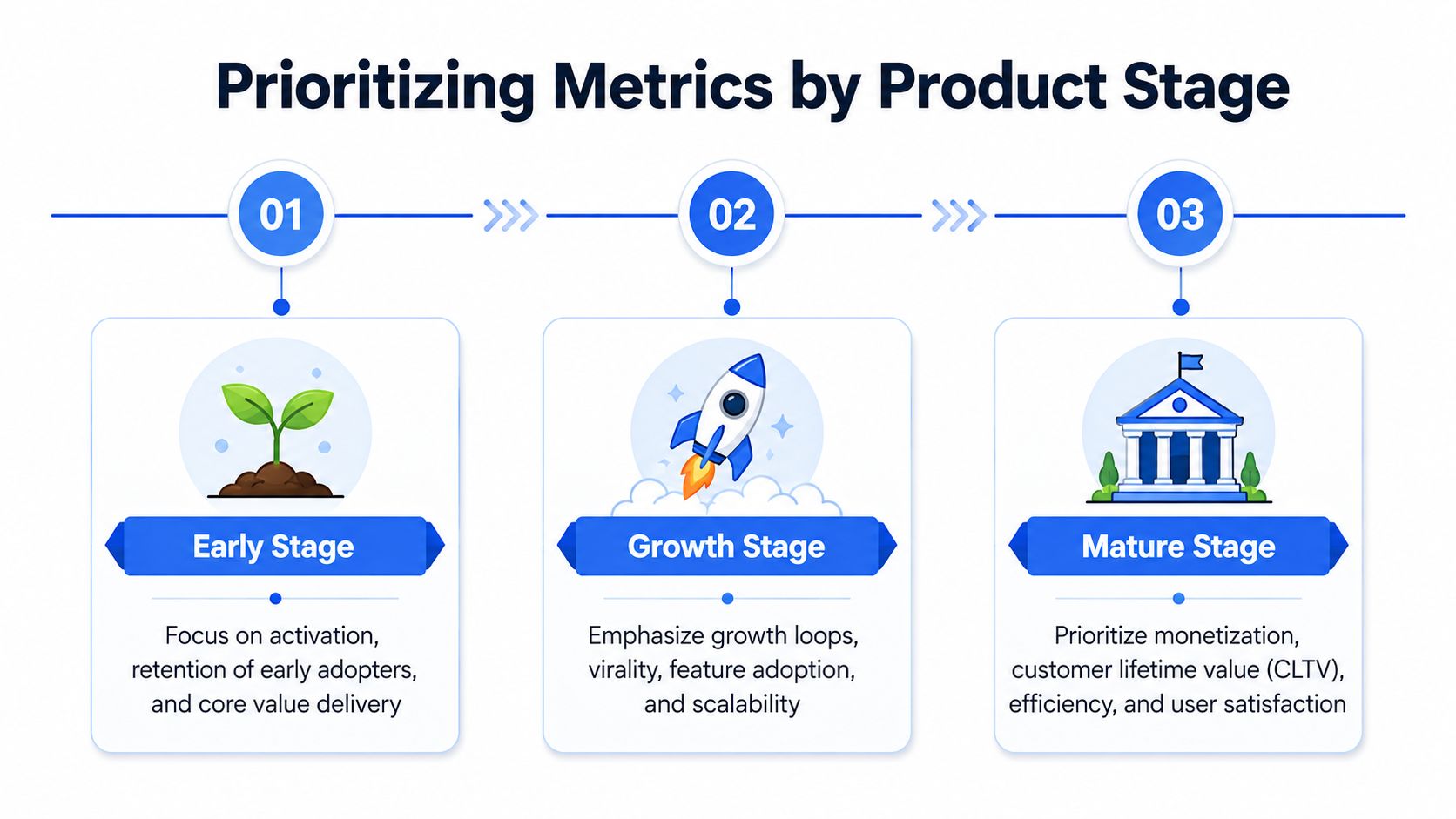
Early stage products
Early on, don't track everything. You probably don't have enough volume for a rich benchmark library anyway.
Focus on:
Activation rate
Early retention
Key-action completion
Onboarding drop-off
At this stage, the question is simple. Do new users reach value quickly enough to come back? If not, acquisition quality doesn't matter much because the product isn't converting attention into repeated use.
Growth stage products
Once onboarding is less fragile, the center of gravity shifts.
Now I'd prioritize:
Metric focus | Why it matters in growth |
|---|---|
DAU/MAU or WAU/MAU | Shows whether usage is becoming habitual |
Feature adoption | Reveals whether new functionality spreads beyond a narrow user subset |
Segmented retention | Identifies which cohorts are getting stronger or weaker |
Account-level active usage | Prevents false comfort from one champion carrying an entire account |
Growth-stage products often have decent acquisition and weak engagement. The product looks busy, but users don't reach enough value quickly enough to return. That's usually an onboarding, discoverability, or workflow clarity problem.
Mature products
For established products, aggregate engagement is less interesting than quality of engagement across segments.
The priorities usually become:
Churn prevention by cohort or account segment
Expansion-related usage patterns
Customer lifetime value
NPS or CSAT alongside behavioral trends
A mature product should ask which usage patterns predict renewal, expansion, or decline. The operating model shifts from “Can we get users to value?” to “Which customers are healthy, which are flat, and which are drifting?”
The main mistake at every stage is the same. Teams track metrics that belong to the next stage because they look advanced. In practice, a smaller metric set tied to the actual bottleneck is almost always more useful.
Implementing Your Engagement Tracking System
Most engagement reporting problems are instrumentation problems wearing a dashboard costume. If the event stream is noisy, identity is inconsistent, or the warehouse model is too raw, every downstream metric becomes a debate.
That matters because engaged users are tied to business outcomes. One industry source reports that engaged users generate up to 15% more purchase actions and show 28% higher retention than passive users, which is why retention, churn, and session-related metrics are treated as operating indicators rather than vanity metrics in this overview of engagement metrics and business outcomes.

If you're a small team without a dedicated analytics bench, this guide to product analytics without a dedicated data analyst is relevant because the implementation burden is usually the actual blocker.
Start with an event schema you can live with
A scalable schema is boring by design. That's a good thing.
I prefer a canonical event table with these fields:
event_id
event_name
event_timestamp
user_id
account_id
session_id
platform
source
properties (JSON or structured columns for event-specific attributes)
Naming conventions matter more than people think. Use verbs and objects that match product behavior. workspace_created, report_run, invite_sent, dashboard_shared are better than button_click or engagement_event.
A few implementation rules save months of cleanup later:
Track business events, not just UI events. “Clicked save” is weaker than “report_saved_successfully.”
Separate attempts from completions. Retries are valuable friction signals.
Version critical events. If the product flow changes, keep the old and new definitions traceable.
Stamp account context. B2B engagement breaks when you can't roll user actions up to the account level.
Model the warehouse for repeatable metrics
Raw event tables are for debugging. Metrics should sit on top of modeled tables.
The minimum warehouse pattern I'd build looks like this:
Model | Purpose |
|---|---|
fact_events | Canonical event log |
dim_users | Stable user attributes and signup metadata |
dim_accounts | Account plan, segment, owner, lifecycle stage |
fct_user_day | One row per user per day with activity flags |
fct_account_week | One row per account per week with active-user summaries |
fct_feature_usage | Reusable feature adoption facts |
That fct_user_day table does most of the heavy lifting. I usually materialize booleans such as is_active, activated_today, used_core_feature, completed_key_action, and experienced_error. Once those are in place, user engagement metrics become much easier to calculate consistently.
If you're using a notebook-style workflow, tools like dbt, SQLMesh, Hex, or Querio can all support this process. Querio's relevant angle is that it runs analysis against the warehouse with custom Python notebooks and a semantic layer, which helps teams standardize metric definitions without routing every request through an analyst.
SQL for stickiness
Here's a straightforward warehouse query for DAU, MAU, and stickiness from a modeled fct_user_day table:
This query is intentionally simple. In production, I'd also segment by plan tier, acquisition cohort, or account segment because aggregate stickiness is rarely enough for decision-making.
Python for trend checks
SQL gets you the metric. Python helps you test whether the movement deserves attention.
I'd usually add annotations for releases, onboarding changes, pricing updates, or outages. A line without operating context invites bad storytelling.
Build metrics so they survive handoffs. If a PM, analyst, and finance lead can't calculate the same number from the same model, the stack isn't ready.
Designing Dashboards That Drive Action
A dashboard should tell each audience what changed, where it changed, and what they need to decide next.
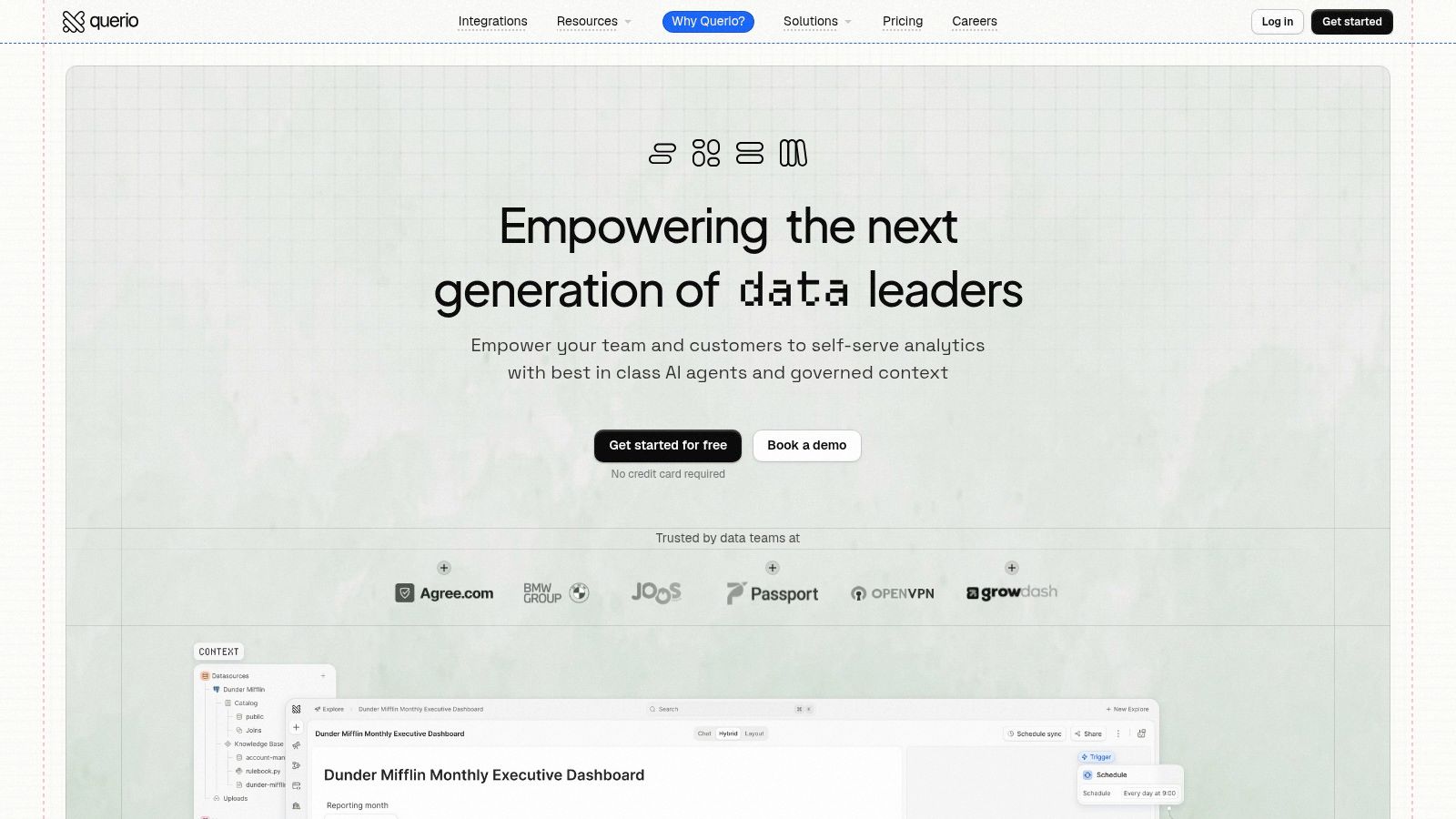
If you want a practical reference on layout patterns, this guide on how to build dashboards is useful because the visual structure matters almost as much as the metric definition.
Executive dashboards
Executives don't need every feature-level chart. They need a concise operating view.
A good executive engagement dashboard usually contains:
Retention trend
Churn trend
Stickiness trend
Healthy versus at-risk account segments
A short annotation layer for major product or go-to-market changes
The mistake here is over-detail. If an executive dashboard requires filtering through ten dimensions to understand what happened, it isn't an executive dashboard anymore.
Product and growth dashboards
Product managers need more granularity. They care about where behavior changed and whether a release altered a user journey.
A strong PM dashboard often includes:
View | Decision it supports |
|---|---|
Activation funnel | Where onboarding breaks |
Feature adoption by cohort | Whether a feature is spreading or stalling |
Path to key action | Which workflows lead to value |
Error or retry overlays | Whether usage growth is healthy or frustrated |
Growth teams usually need a tighter link between acquisition and in-product behavior. Their board should show whether users from different channels activate, retain, and convert differently.
A dashboard worth sharing should answer a real operating question, not just display available fields.
Here's a short product demo that illustrates the kind of interactive, self-serve workflow many teams want when they move beyond static BI.
Design rules that prevent passive reporting
The best dashboards I've seen follow a few simple rules:
Put outcome metrics above diagnostic metrics. Retention above clicks. Churn above pageviews.
Show trends, not isolated values. A number without direction rarely changes behavior.
Annotate the chart. Teams forget when a release shipped or a pricing page changed.
Segment by default. An average should be a starting point, not the final view.
End with an action owner. Someone should know what to investigate next.
Common Pitfalls and Industry Benchmarks
Teams don't fail because they lack metrics. They fail because they trust the wrong interpretation.
The mistakes that distort engagement
The first mistake is treating benchmarks as verdicts. A benchmark can tell you whether your metric is broadly plausible. It can't tell you whether your product is healthy in context.
The second mistake is ignoring segmentation. A marketplace, a workflow SaaS product, and a media app can all show similar session patterns for very different reasons. Even inside one product, new users and mature accounts may need different definitions of “healthy.”
A third mistake is isolating one metric and promoting it to a north star when it is diagnostic. Session length is the classic example. It can mean delight, dependency, complexity, or confusion.
Your own historical baseline is usually more valuable than a generic industry average.
How to use benchmarks without getting trapped by them
Benchmarks help most when they're used as a sanity check and paired with your own trend line. If your activation sits in a healthy-looking external range but recent cohorts are weakening, you still have a problem. If your DAU/MAU looks modest against another category but rises steadily after onboarding improvements, that may be exactly the right trajectory.
For founder teams launching into new markets, distribution context matters too. A product launch platform for founders can be useful for understanding where early users are coming from, but those acquisition spikes still need to be judged by activation and retention quality, not raw signups.
A practical benchmark checklist:
Compare against your own past first
Break every core metric by cohort
Use qualitative feedback to explain outliers
Treat benchmark gaps as investigation prompts, not conclusions
The teams that get user engagement metrics right rarely have prettier dashboards. They have stricter definitions and better discipline about what each metric is allowed to mean.
Frequently Asked Questions About User Engagement
How is engagement different for B2B and B2C products
B2B products usually need account context. Individual usage can look fine while the account is weak because only one champion is active. I'd watch user-level and account-level engagement together.
B2C products more often emphasize large-scale repeat behavior and habit loops. Even then, the core principle stays the same. Define engagement around value, not exposure.
How often should teams review engagement metrics
Different cadences serve different jobs.
Daily review works for operational checks, release monitoring, and anomaly detection.
Weekly review is usually best for product and growth teams because it balances speed with enough volume to see a pattern.
Monthly review is better for strategic readouts, cohort maturity, and executive discussion.
The main rule is consistency. Teams lose trust quickly when every meeting uses a different time window and a different metric definition.
What if the product is used infrequently by design
Not every healthy product should be used daily. Tax software, procurement workflows, and some finance tools have naturally episodic usage.
In those cases, don't force DAU into the center of the scorecard. Use a cadence that matches the job to be done. WAU, MAU, task completion, successful reactivation at the expected moment, and customer satisfaction often tell a cleaner story.
Which metric should a young startup trust most
If I had to pick one early, I'd choose activation tied to a clear first-value event. That's the quickest way to learn whether the product delivers what the signup promise implied.
After that, cohort retention becomes the metric that keeps everyone honest. Plenty of products can manufacture activation. Fewer can sustain return behavior.
What makes a metric actionable
A metric becomes actionable when three things are true:
Requirement | Test |
|---|---|
Clear definition | Everyone calculates it the same way |
Known owner | A team is responsible for moving it |
Linked response | A drop or rise triggers a specific investigation or action |
If one of those is missing, the metric may still be interesting, but it won't reliably change decisions.
Querio is one option for teams that want to implement this kind of engagement stack directly on the warehouse, using a semantic layer plus SQL and Python notebooks so PMs, founders, and data teams can work from consistent metric definitions without waiting on a queue of one-off requests.

